


ZStack Cloud Platform
Single Server, Free Trial for One Year

Comprehensive product documentation and tools

Upholding the value of Customer First and the mission of Serving Customer, ZStack is dedicated to providing secure and stable services for customers.

To educate ZStack partners and interested individuals about cloud computing and to cultivate cloud computing talent.

ZStack provides innovative cloud infrastructure for ten major industries

The report provides three major
solutions and customer case studies for transitioning from VMware to ZStack.
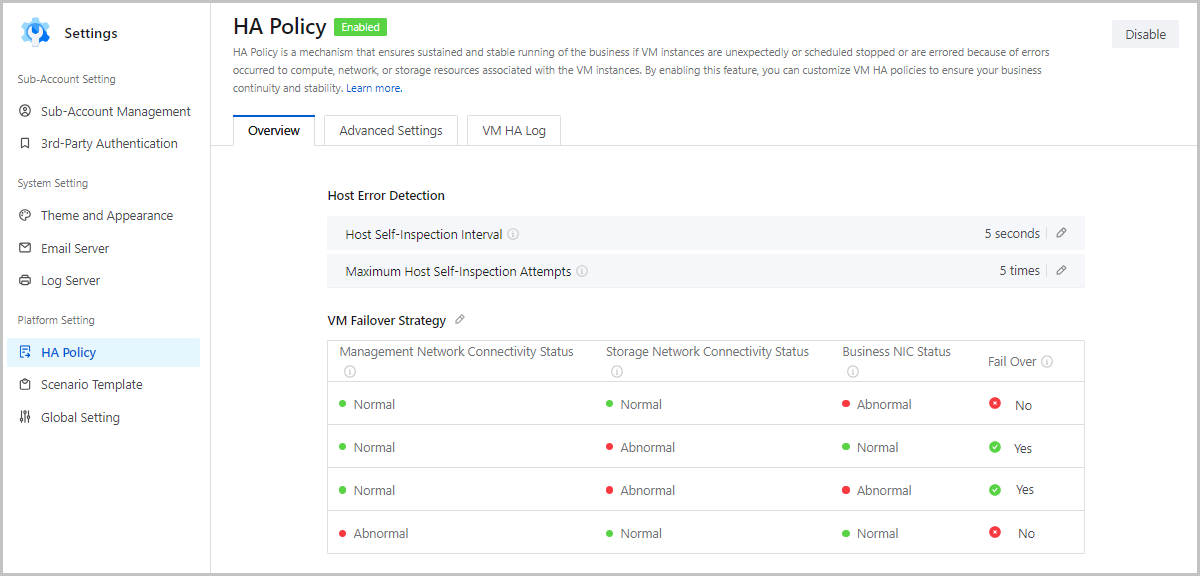
Starting from ZStack Cloud 4.7.0, the Cloud supports configuring HA policies for business networks of VM instances, thus covering all mainstream HA scenarios. Furthermore, the Cloud provides a visualized table that allows you to configure VM failover strategies. This feature enables you to configure HA policies flexibly while ensuring business stability and continuity.
In earlier versions, ZStack Cloud has supported setting the HA mode of VM instances to None or NeverStop.
Besides, ZStack Cloud supports inspecting the connectivity status of management networks and storage networks. If the HA policy is set to Force and the HA mode is set to NeverStop, VM instances will HA migrate and restart in case of storage network failure.
Starting from ZStack Cloud 4.7.0, the Cloud supports inspecting the business NIC status. If you set the corresponding failover strategy to Yes, VM instances will HA migrate and restart if the business NIC fails. Currently, this feature only supports VM instances using L2NoVlanNetwork/L2VlanNetwork that employs the standard network acceleration mode.
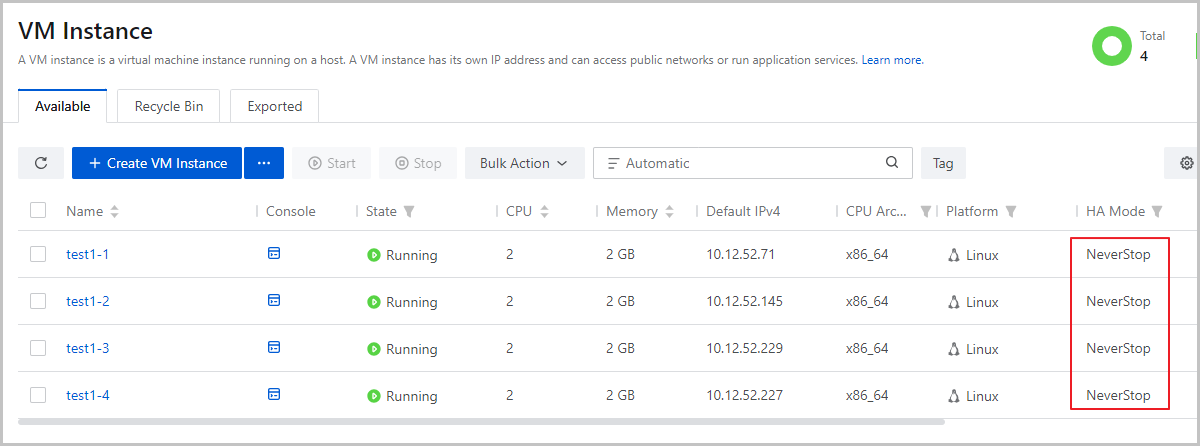
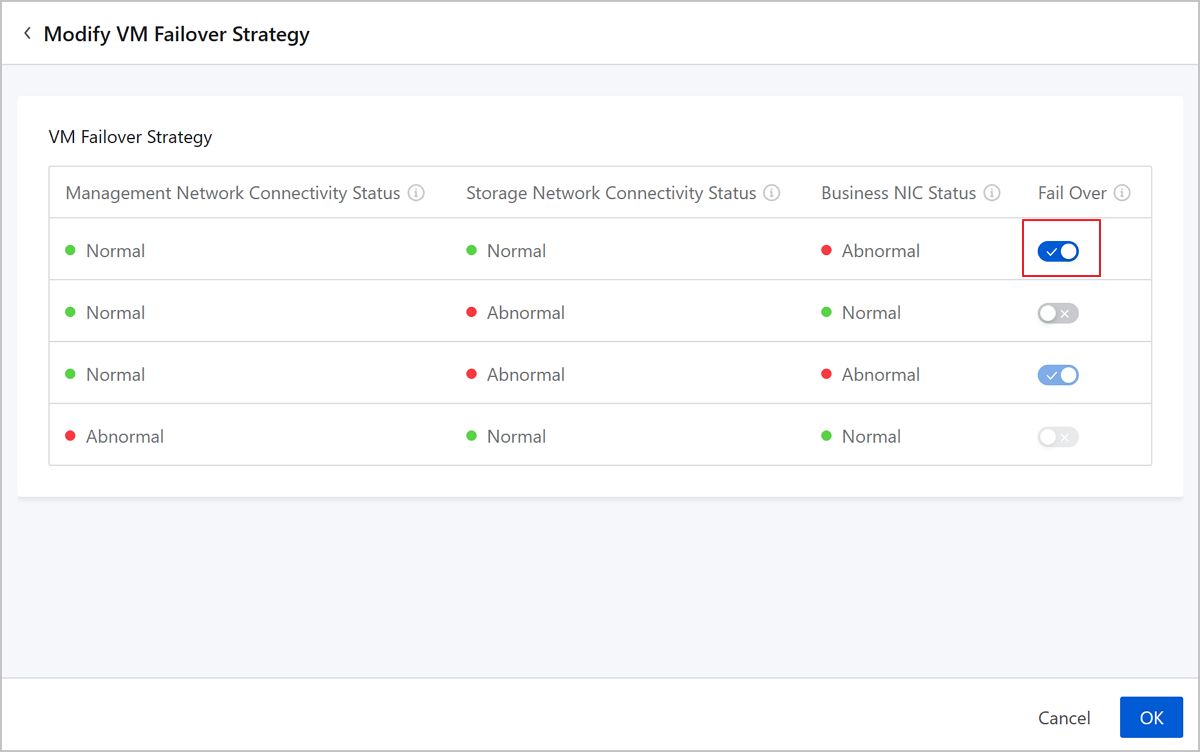
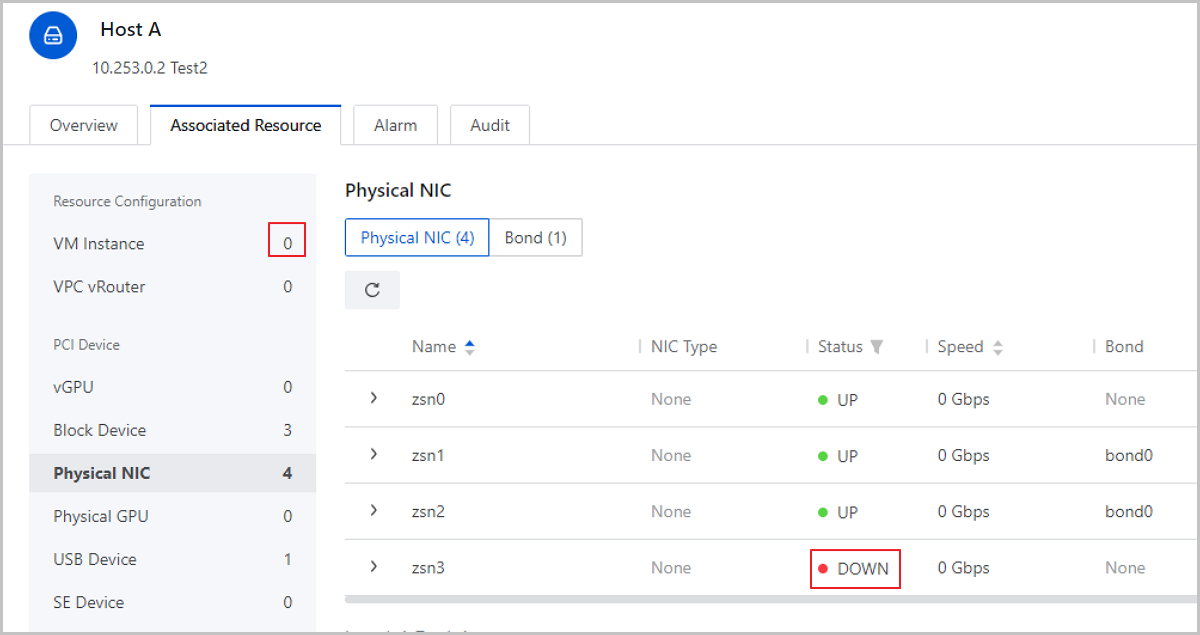
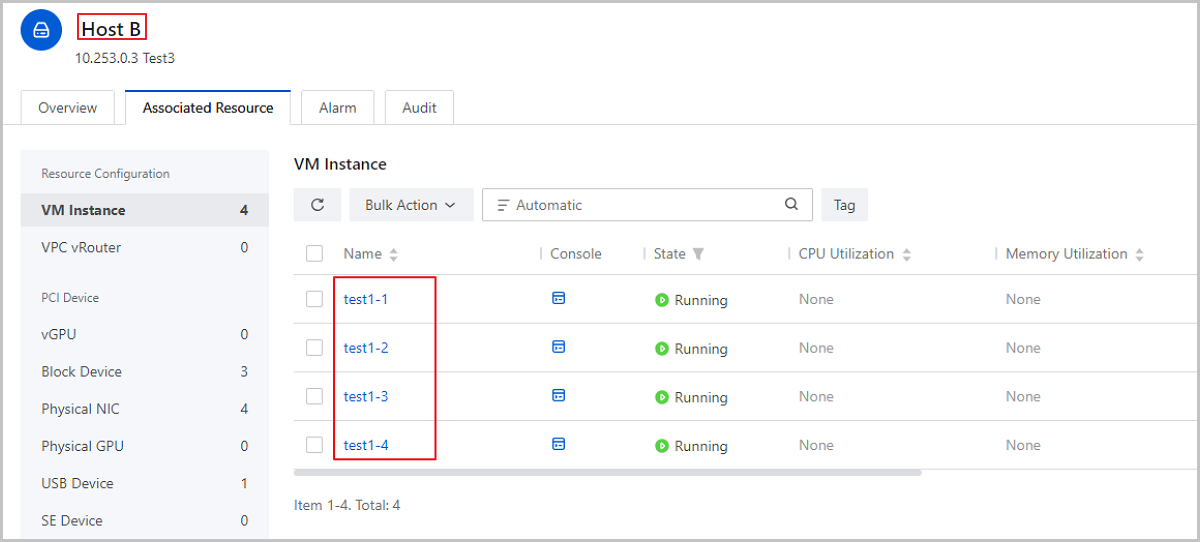
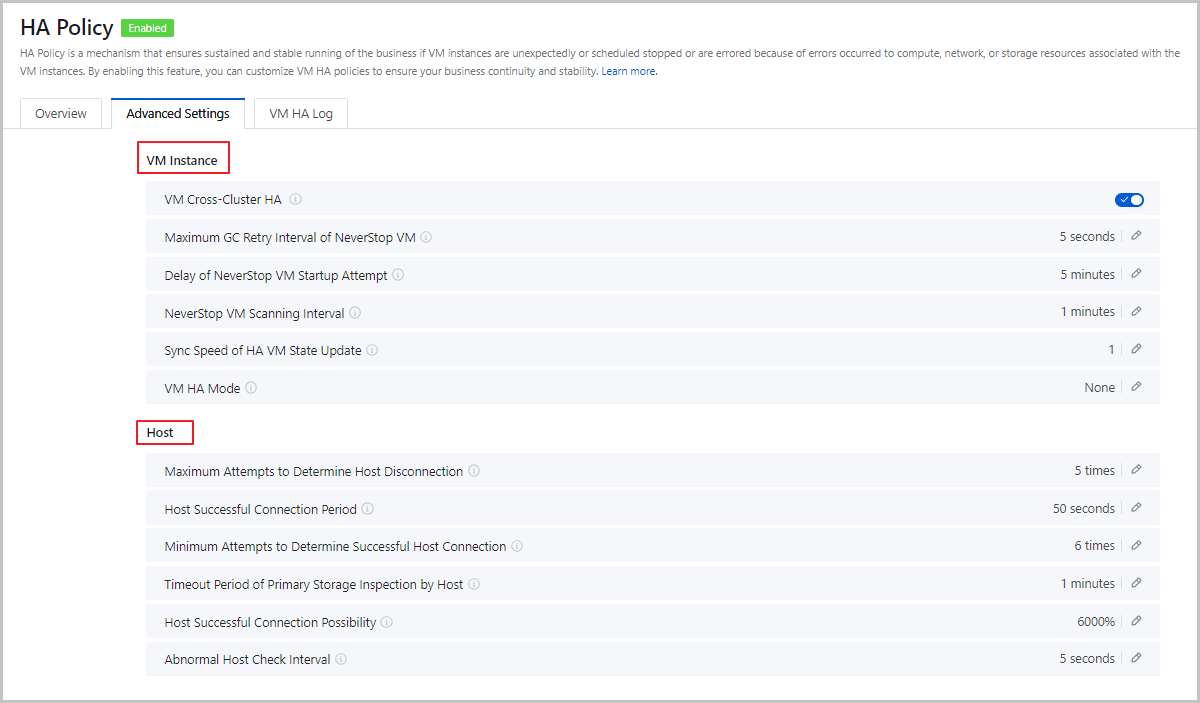
Starting from ZStack Cloud 4.7.0, the Cloud allows you to enable/disable the HA policy for all VM instances on the cloud with one click. If you enable the HA policy, you can then configure the failover strategies for VM instances simply by editing a truth table. The failover strategies cover abnormal scenarios concerning the management network connectivity status, storage network connectivity status, and business NIC status.
Besides, the Cloud brings together all global settings concerning VM HA and displays them on a single page. Now you can globally customize VM HA policies more conveniently.
Starting from ZStack Cloud 4.7.0, GuestTools supports the following new functions:
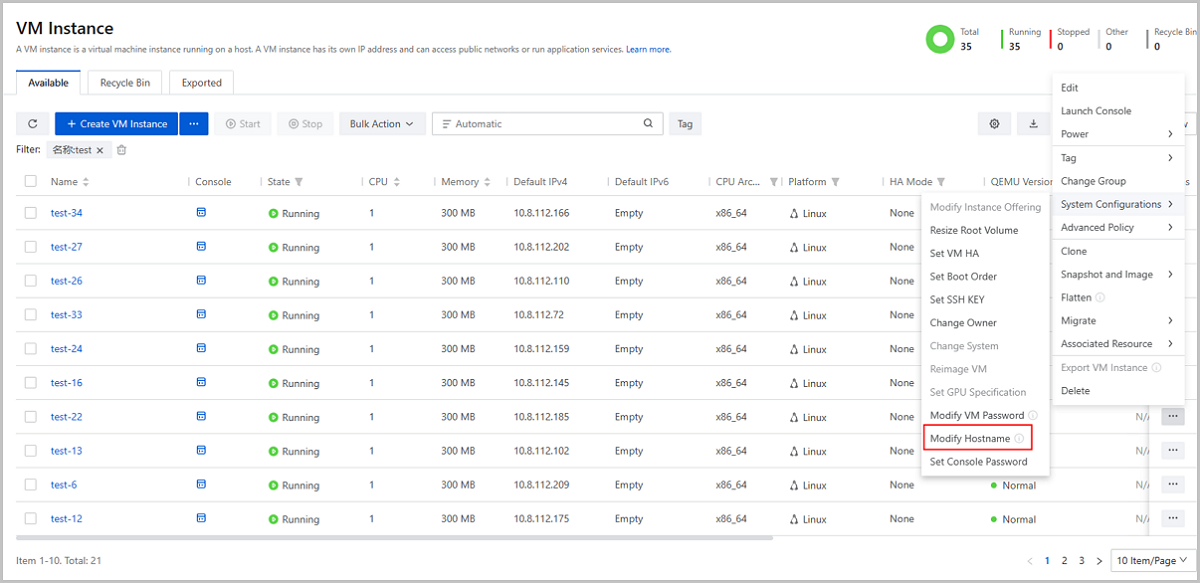
Starting from ZStack Cloud 4.7.0, you can modify the hostname on UI. If the VM is running and is installed with the latest GuestTools, the hostname is deployed by the GuestTools and takes effect immediately.
If the VM instance is not running or does not have the latest GuestTools installed, the hostname is deployed by the DHCP service and takes effect after you restart the VM instance.
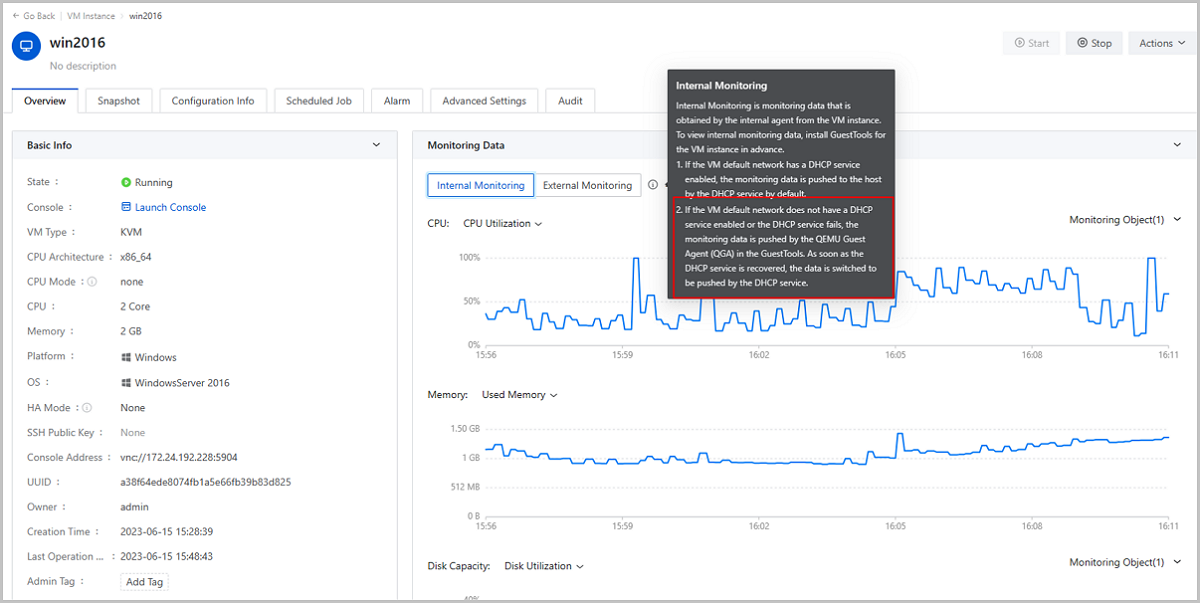
In earlier versions, ZStack Cloud has supported VM internal monitoring. The monitoring data is obtained by the internal agent of GuestTools and then pushed to the host by the DHCP service.
Starting from ZStack Cloud 4.7.0, the Cloud supports both the DHCP service and QGA of GuestTools to push the monitoring data. QGA is used as an alternative to push monitoring data in case the DHCP service of the default VM network is disabled or fails. This new feature reduces the dependence of internal monitoring on DHCP service, thus covering more business scenarios.
In earlier versions, ZStack Cloud has supported synchronizing NIC configuration. After you specify a NIC IP address, you can deploy the IP address to VM instances through QGA of GuestTools.
Starting from ZStack Cloud 4.7.0, the GuestTools support reading IP addresses. With this feature, IP addresses configured in VM instances can be automatically read and displayed on the Cloud, making it easier for you to perform O&M actions on VM instances such as deploying network services.
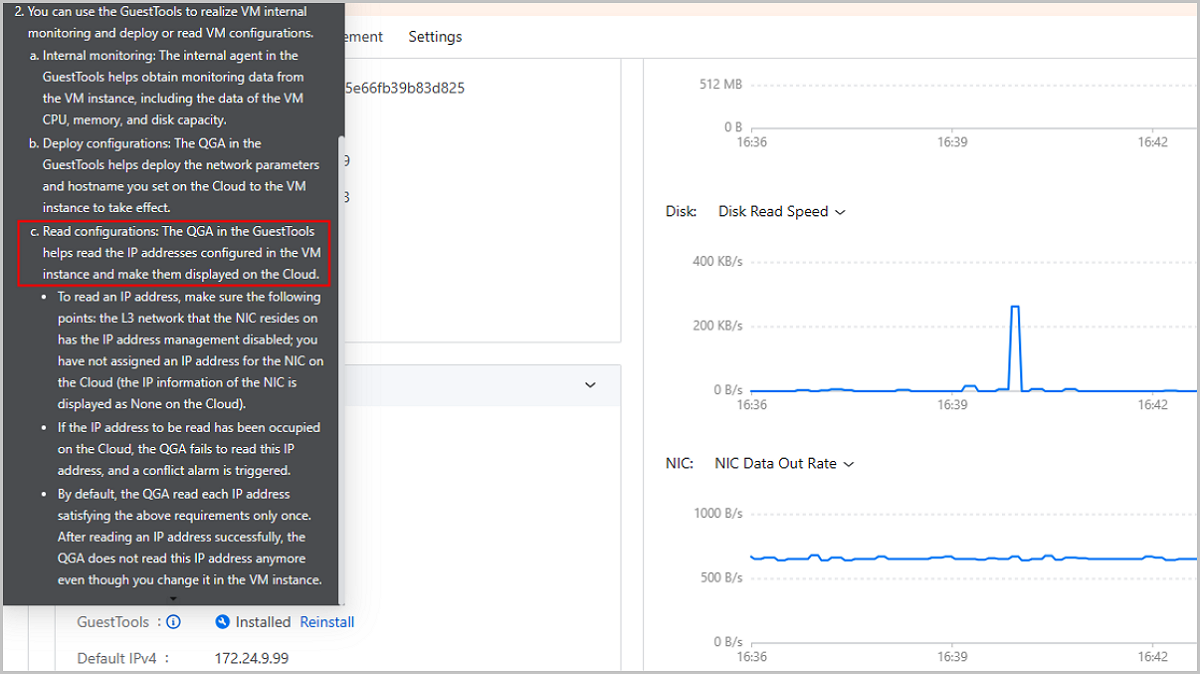
As of ZStack Cloud 4.7.0, GuestTools for multiple mainstream Linux/Windows operating systems have integrated with QGA and support corresponding extension services, including synchronizing NIC configuration, reading IP addresses configured in VM instances, modifying hostname for running VM instances, and internal monitoring without DHCP service.
Supported operating systems include CentOS 7.2/7.4/7.6/7.9/8.0, Redhat Enterprise Linux Server 7.5, Ubuntu 18.04, Kylin V10 SP1 (0518), Kylin V10 SP2, SUSE Linux Enterprise Server 12/15, oracle lin Server 12/15, oracle linux 7.9, and Windows Server 2012/2016/2019.
Email Us
contact@zstack.ioEmail Us
contact@zstack.ioEmail Us
contact@zstack.ioThe download link is sent to your email address.
If you don't see it, check your spam folder, subscription folder, or AD folder. After receiving the email, click the URL to download the documentation.Thank you for using ZStack products and services.
Submit successfully.
We'll connect soon.Thank you for using ZStack products and services.


