


ZStack Cloud Platform
Single Server, Free Trial for One Year

Comprehensive product documentation and tools

Upholding the value of Customer First and the mission of Serving Customer, ZStack is dedicated to providing secure and stable services for customers.

To educate ZStack partners and interested individuals about cloud computing and to cultivate cloud computing talent.

ZStack provides innovative cloud infrastructure for ten major industries

The report provides three major
solutions and customer case studies for transitioning from VMware to ZStack.
A region is a self-contained cloud environment with independent management node(s), networks, hardware, and cloud resources. ZStack IAM enabled user synchronization and SSO across multiple regions.
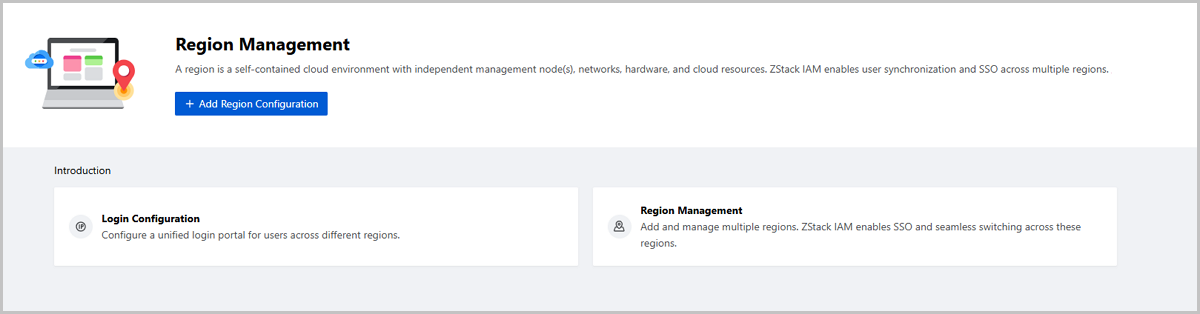
By default, the Region Management page is not displayed on ZStack Cloud UI. To make this page displayed, contact the official technical support.
Contact the official technical support to finish ZStack IAM deployment and other preparations before you add regions.
On the main menu of ZStack Cloud, choose . On the Region Management page, click Add Region Configuration.Then, the Add Region Configuration page is displayed.
 Note: The login address must be the management node address of one of the regions on the Cloud. You can enter an IP address or a domain name. If the region has dual management nodes, enter the management node VIP or the corresponding domain name.Note: {MNIP} is the IP address of the management node of the region. If the region has dual management nodes, enter the management node VIP.Note: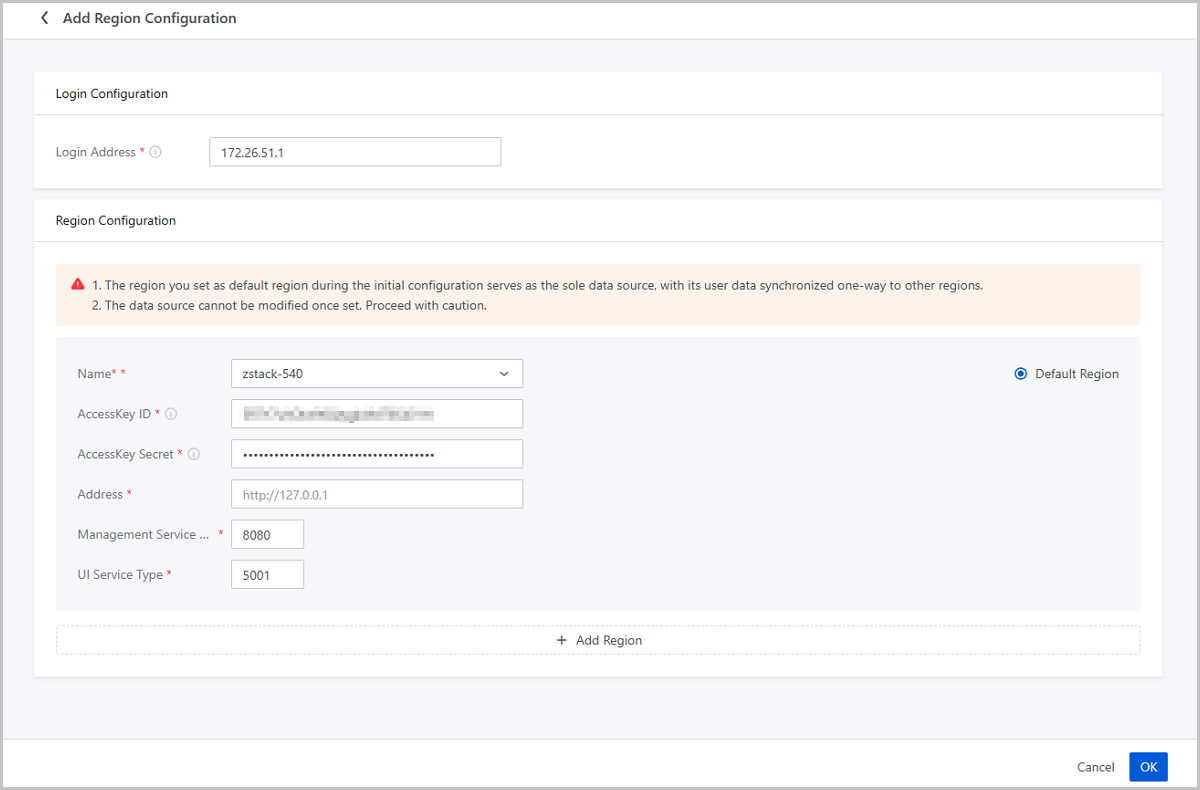
On the main menu of ZStack Cloud, choose . Then, the Region Management page is displayed.
| Action | Description |
|---|---|
| Modify Login Configuration | Modify the unified login address. |
| Add Region | Add a new region.Note: To ensure proper user information synchronization without conflicts, we recommend that the regions (except for the default region you specified during the initial configuration) you add are free of user data. |
| Synchronize Data | Synchronize user information from the data source to other regions.Note:
|
| Modify Region Configuration | Modify the region information, such as the AccessKey, address, management service port, and UI service port. |
| Set as Default Region | Set a region as the default region.Note: Only a region whose health status is Healthy and user synchronization status is Succeeded can be set as the default region. |
| Remove Region | Remove a region.Note:
|


