


ZStack Cloud Platform
Single Server, Free Trial for One Year

Comprehensive product documentation and tools

Upholding the value of Customer First and the mission of Serving Customer, ZStack is dedicated to providing secure and stable services for customers.

To educate ZStack partners and interested individuals about cloud computing and to cultivate cloud computing talent.

ZStack provides innovative cloud infrastructure for ten major industries

The report provides three major
solutions and customer case studies for transitioning from VMware to ZStack.
This topic falls into two parts: create a vCenter network resource and manage a vCenter network resource.
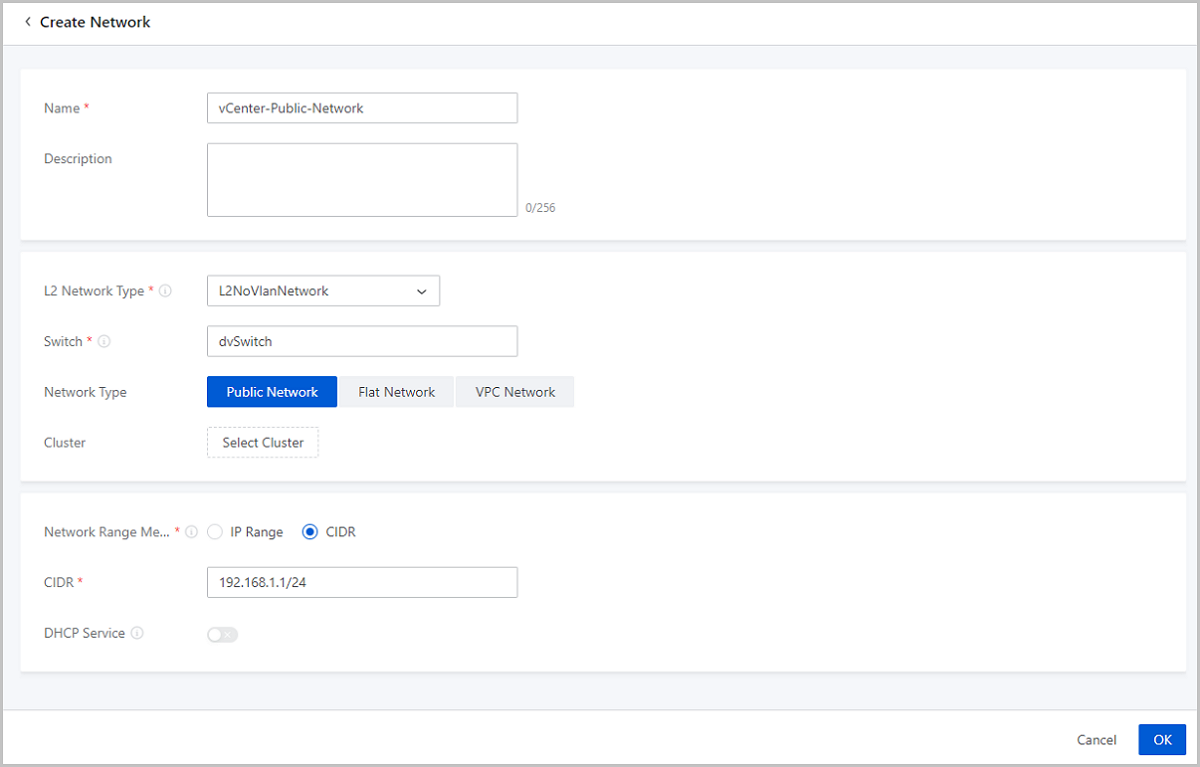
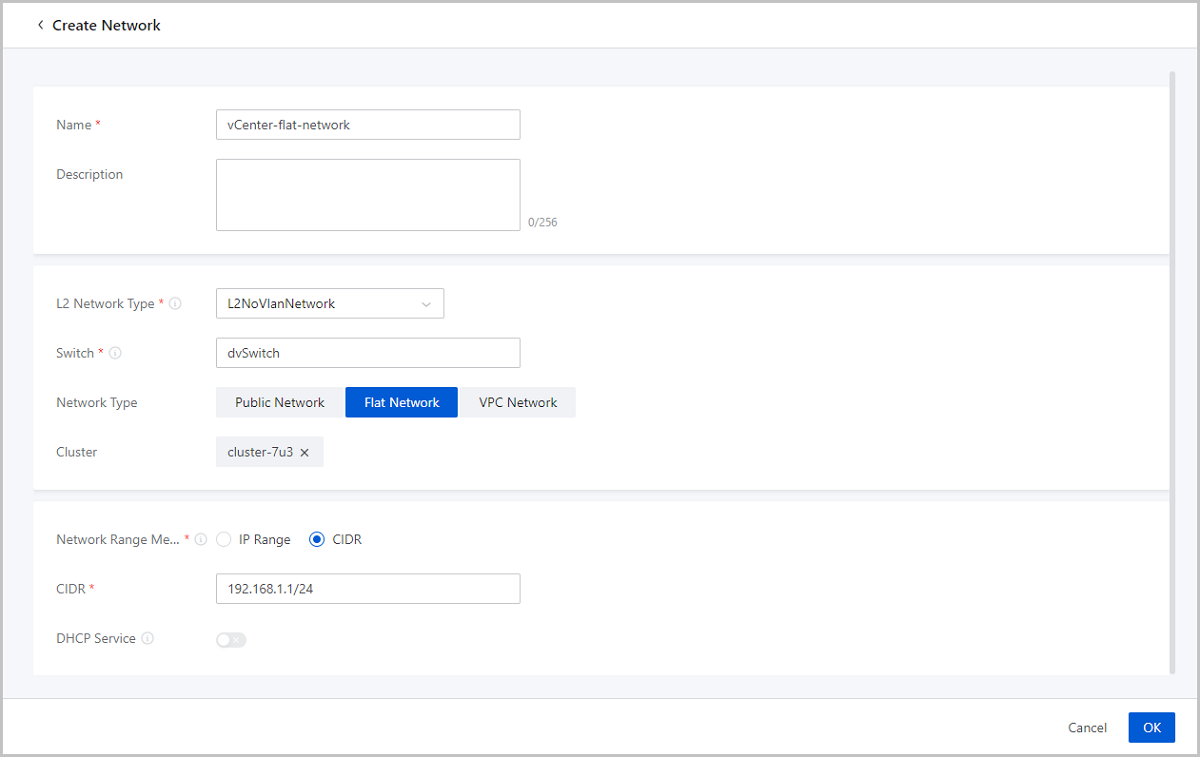
On the main menu of ZStack Cloud, choose . On the Network page, click Create Network. Then, the Create Network page is displayed.
 Note: vCenter public network does not support DHCP services. You need to manually assign an IP address to a VM instance.
 Note: vCenter flat network does not support DHCP services. You need to manually assign an IP address to a VM instance.
 Note: ZStack Cloud provides users with dedicated vCenter vRouter images. You can find the download address of the latest vRouter image on the ZStack Cloud official website.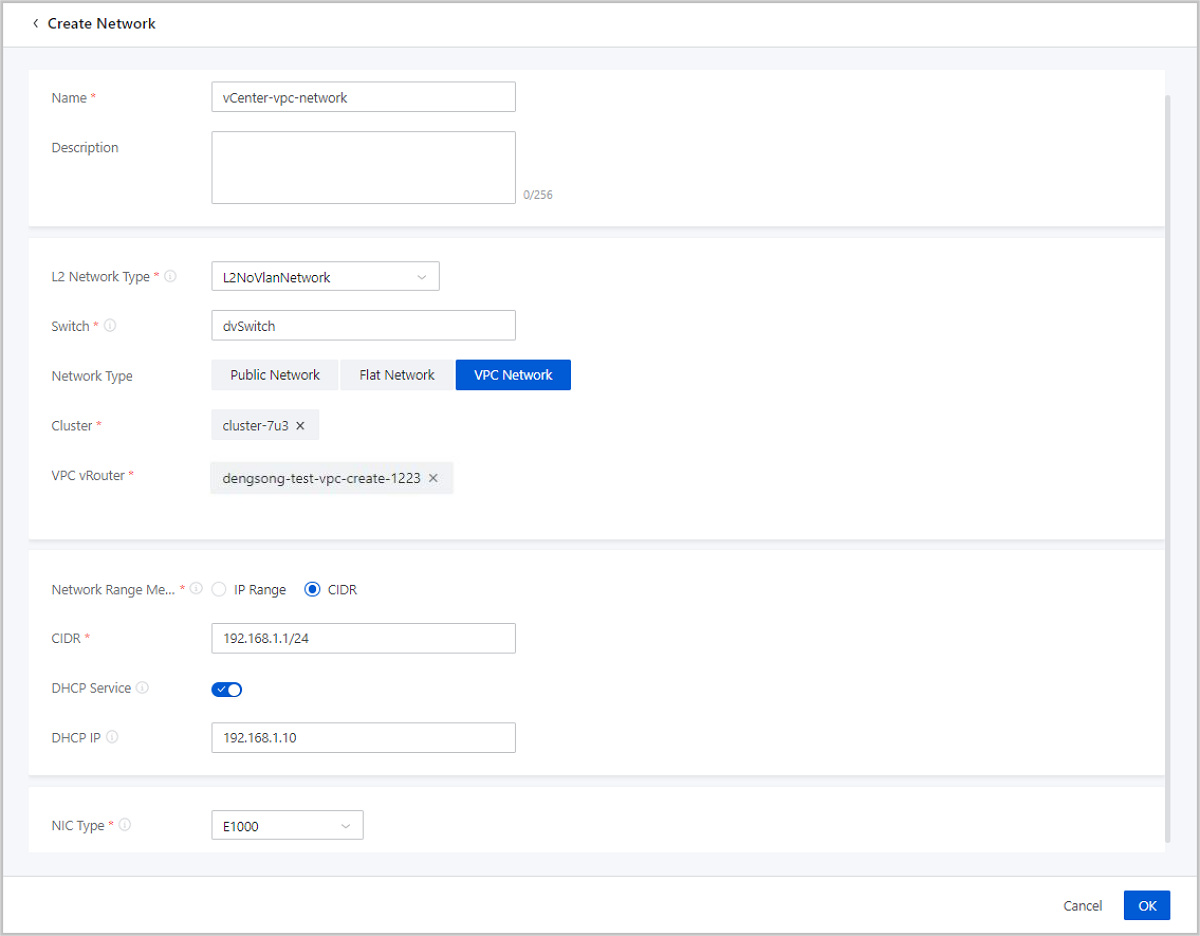
On the main menu of ZStack Cloud, click . Then, the Network page appears.
| Action | Description |
|---|---|
| Create vCenter Network | Create a vCenter network. Network type includes public network, flat network, and VPC network. |
| Edit vCenter Network | Edit the name and description of the vCenter network. |
| Add Network Range | Add a network range for the vCenter network. An IPv4 public network supports IP range and CIDR. Flat networks and VPC networks only support IP range. |
| Set Sharing Mode | Set the sharing mode of a resource. The platform provides the following sharing modes:
Note:
|
| Delete vCenter Network | Deleting a vCenter network resource also deletes local records. Your actual network resources on your remote vCenter will not be affected. (Deleting a vCenter network detaches the corresponding NIC from the vCenter VM instance.) |


