Fixed some issues。
{{currentItem.description}}
Release Date:{{currentItem.release_date}}
All
Prod Recommended Version
Technical Preview Version
Latest
{{item.year}}
{{iitem.product_version}}

A Single Cluster Supports More Storage Combinations

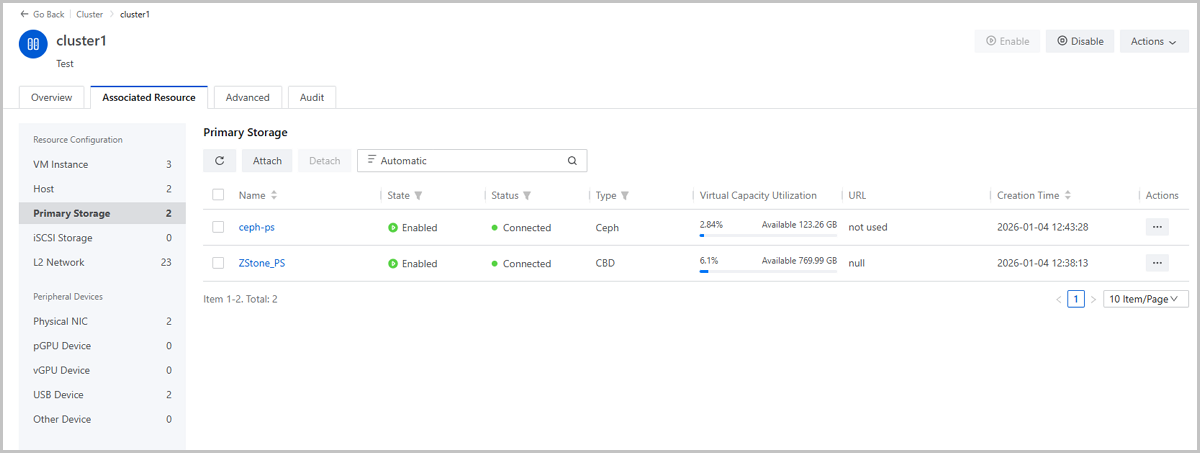
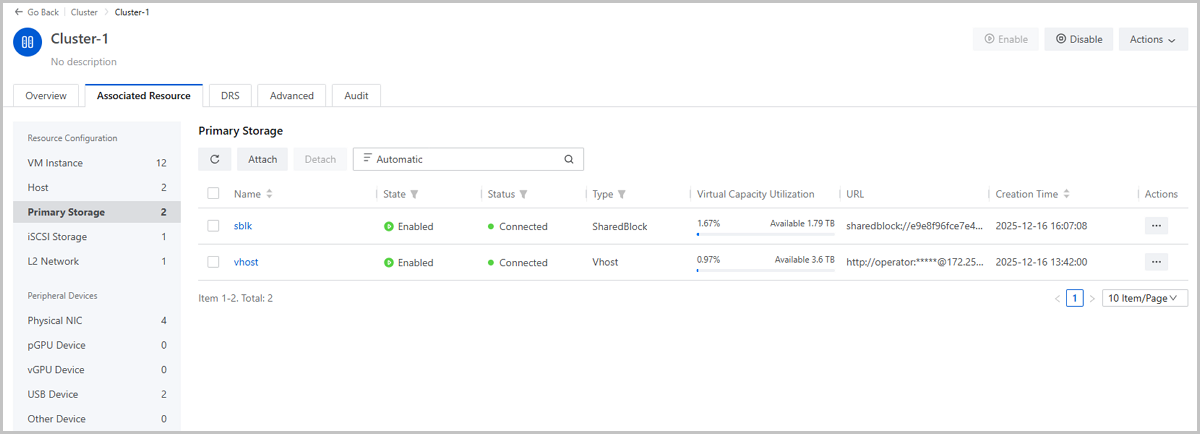
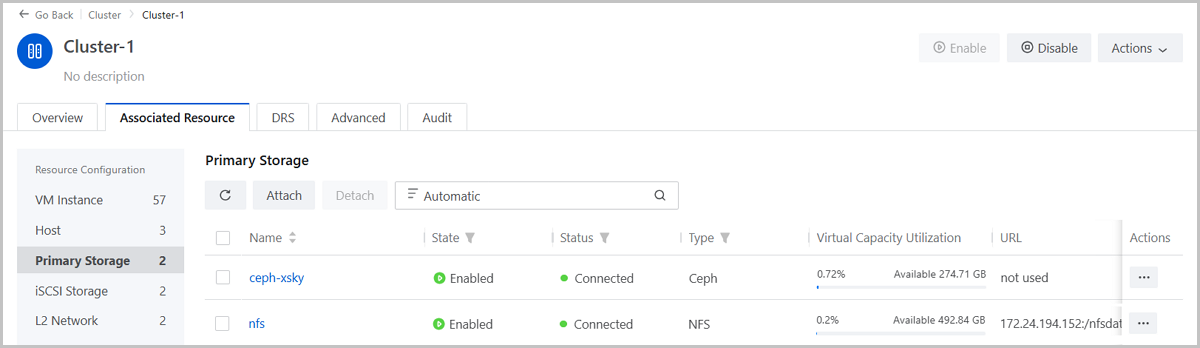
Starting from ZStack Cloud 5.5.0, a single cluster now supports the following additional storage combinations:
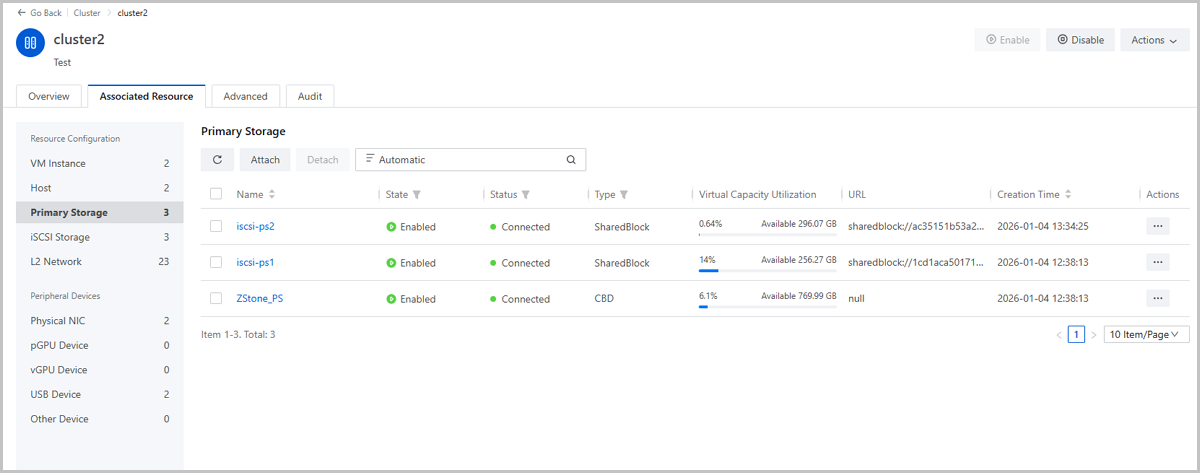
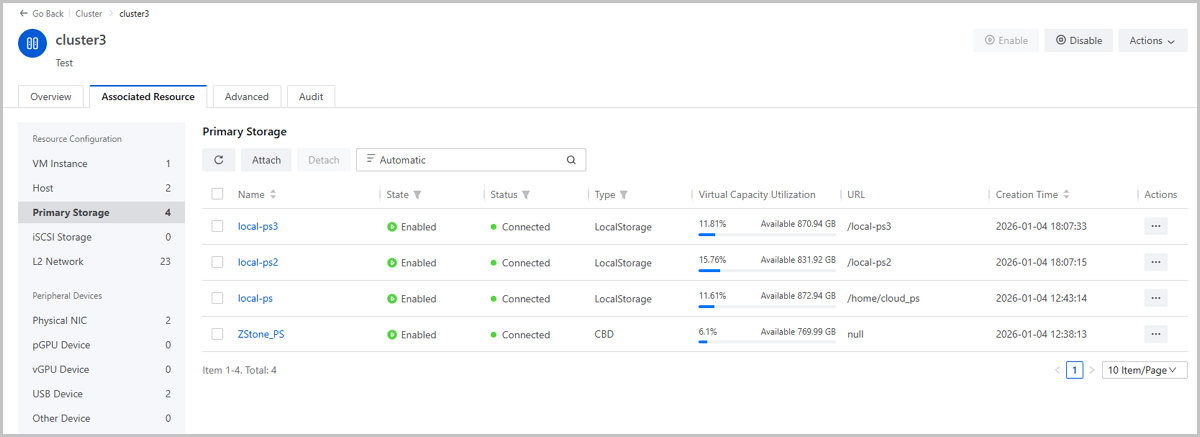
  • 1 CBD + multiple SharedBlock
  • 1 CBD + multiple LocalStorage
  • 1 CBD + 1 Ceph
  • 1 Vhost + multiple SharedBlock
  • 1 Ceph + multiple NFS
You can flexibly combine different types of storage resources based on business scenario requirements, enabling more granular storage management.
Figure 1. CBD + SharedBlock


Figure 2. CBD + LocalStorage


Figure 3. CBD + Ceph


Figure 4. Vhost + SharedBlock


Figure 5. Ceph + NFS


CBD Primary Storage Enhancements

ZStack Cloud 5.5.0 enhances CBD primary storage with the following features.
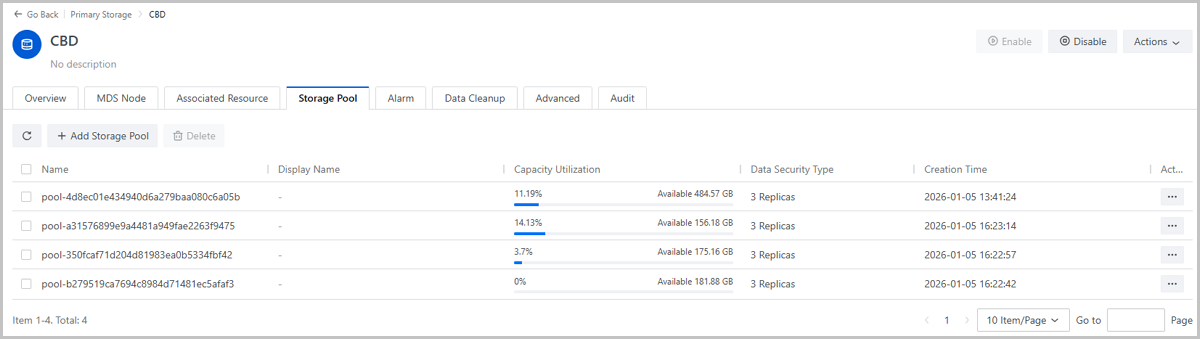
Supports Adding Multiple Storage Pools

Starting from ZStack Cloud 5.5.0, you can add multiple storage pools at once when adding CBD primary storage, simplifying multi-pool configuration. Operations for storage pools are also enhanced: you can flexibly add or remove storage pools as needed and set easily identifiable display names for each pool.
Figure 1. Add Multiple Storage Pools to CBD Primary Storage


Supports Configuring Overcommitment

On the Advanced Settings tab of the CBD details page, you can set an overcommitment ratio for the CBD primary storage. This controls the virtual allocatable space that can be overcommitted when creating volumes on this storage.
Figure 2. Set Overcommit for CBD Primary Storage


Supports Specifying Volume Provisioning Types in Cross-SharedBlock Migration

Starting from ZStack Cloud 5.5.0, the storage migration feature adds support for custom volume provisioning types. When performing Change Primary Storage or Change Host and Primary Storage operations across SharedBlock Primary Storage, you can use the Volume Provisioning Type option to choose from four strategies: Source Format, Destination Format, Thin Provision, or Thick Provision. This allows you to customize the provisioning type of the volume after migration, ensuring the continuity and consistency of business storage policies during the migration process.

Figure 1. Specify Volume Provisioning Types


Download

Already filled the basic info?Click here.

Enter at least 2 characters.
Cannot be empty.
Invalid mobile number.
Enter at least 4 characters.
Invalid email address.
Wrong code. Try again. Send Code Resend Code (60s)

An email with a verification code will be sent to you. Make sure the address you provided is valid and correct.

同意 不同意

I have read and concur with the Site TermsPrivacy PolicyRules and Conventions on User Management of ZStack Cloud

Download

Not filled the basic info yet? Click here.

Invalid email address or mobile number.
同意 不同意

I have read and concur with the Site TermsPrivacy PolicyRules and Conventions on User Management of ZStack Cloud

Email Us

contact@zstack.io
ZStack Training and Certification
Enter at least 2 characters.
Invalid mobile number.
Enter at least 4 characters.
Invalid email address.
Wrong code. Try again. Send Code Resend Code (60s)

同意 不同意

I have read and concur with the Site TermsPrivacy PolicyRules and Conventions on User Management of ZStack Cloud

Email Us

contact@zstack.io
Request Trial
Enter at least 2 characters.
Invalid mobile number.
Enter at least 4 characters.
Invalid email address.
Wrong code. Try again. Send Code Resend Code (60s)

同意 不同意

I have read and concur with the Site TermsPrivacy PolicyRules and Conventions on User Management of ZStack Cloud

Email Us

contact@zstack.io

The download link is sent to your email address.

If you don't see it, check your spam folder, subscription folder, or AD folder. After receiving the email, click the URL to download the documentation.

The download link is sent to your email address.

If you don't see it, check your spam folder, subscription folder, or AD folder.
Or click on the URL below. (For Internet Explorer, right-click the URL and save it.)

Thank you for using ZStack products and services.

Submit successfully.

We'll connect soon.

Thank you for using ZStack products and services.