


ZStack Cloud Platform
Single Server, Free Trial for One Year

Comprehensive product documentation and tools

Upholding the value of Customer First and the mission of Serving Customer, ZStack is dedicated to providing secure and stable services for customers.

To educate ZStack partners and interested individuals about cloud computing and to cultivate cloud computing talent.

ZStack provides innovative cloud infrastructure for ten major industries

The report provides three major
solutions and customer case studies for transitioning from VMware to ZStack.
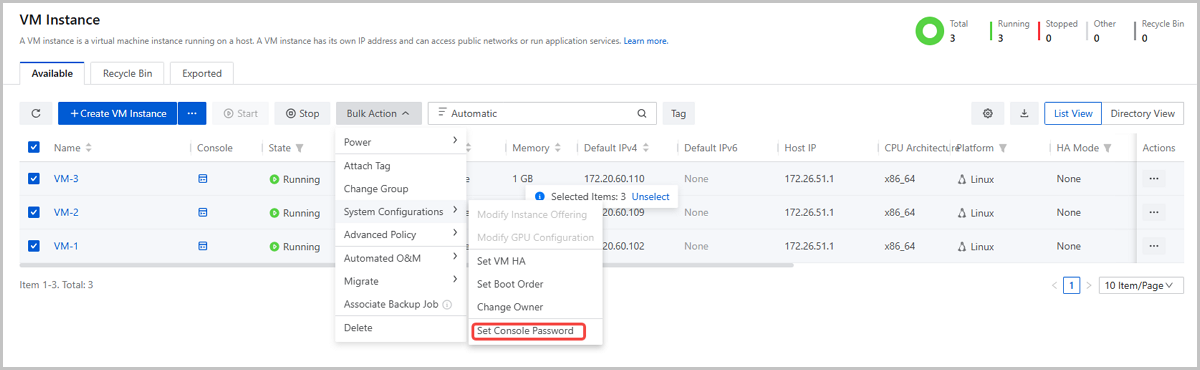
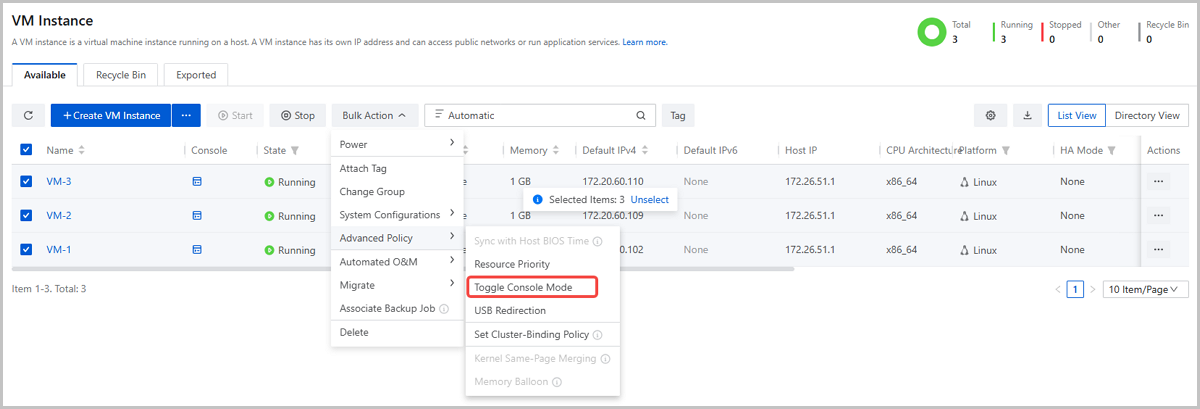
Starting from ZStack Cloud 5.5.0, you can batch configure VM console passwords and switch VM console modes, significantly improving efficiency in large-scale operations.
The batch console password configuration feature also applies to VPC vRouters and Advanced Monitoring Servers.
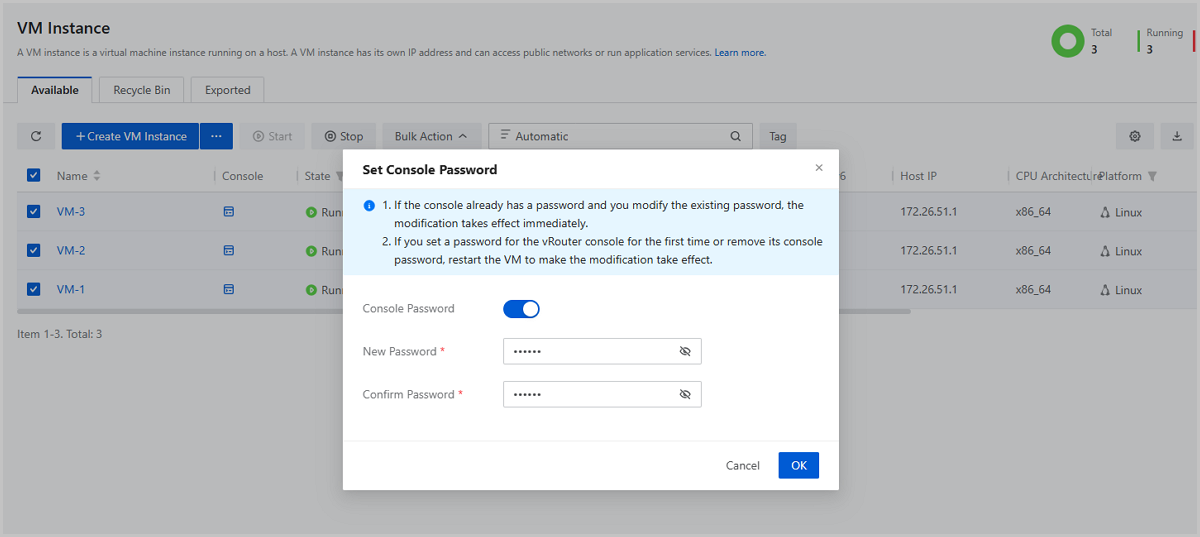
Starting from ZStack Cloud 5.5.0, you can modify the console password of a running VM instance. The change takes effect immediately without requiring a reboot, effectively ensuring business continuity and stability.
This optimization also applies to VPC vRouters and Advanced Monitoring Servers.
 Note:
Note: This applies only when modifying an existing console password. Adding or removing a console password still require a VM reboot.
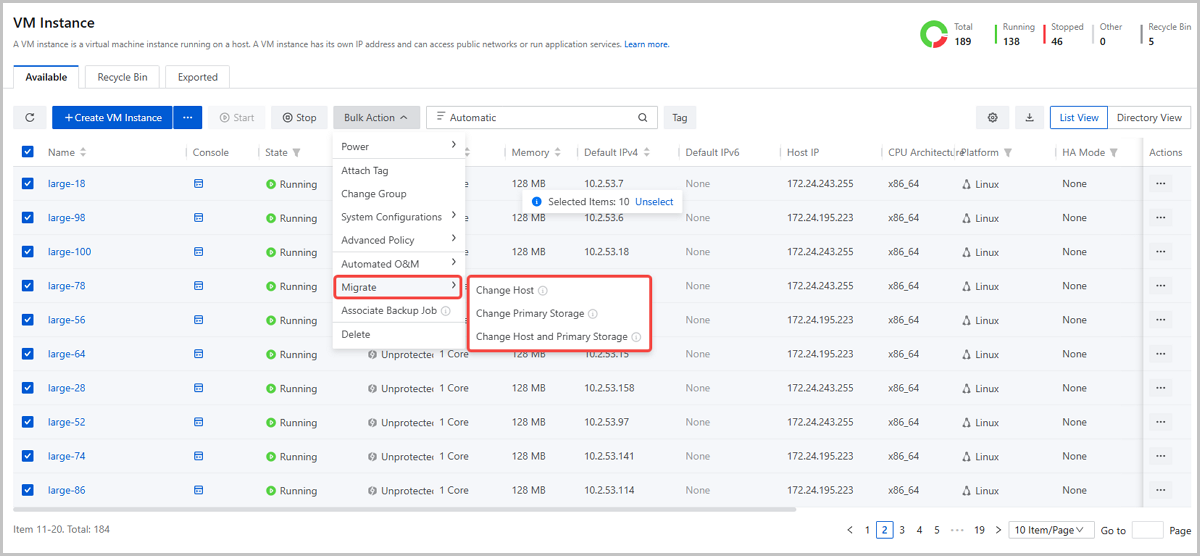
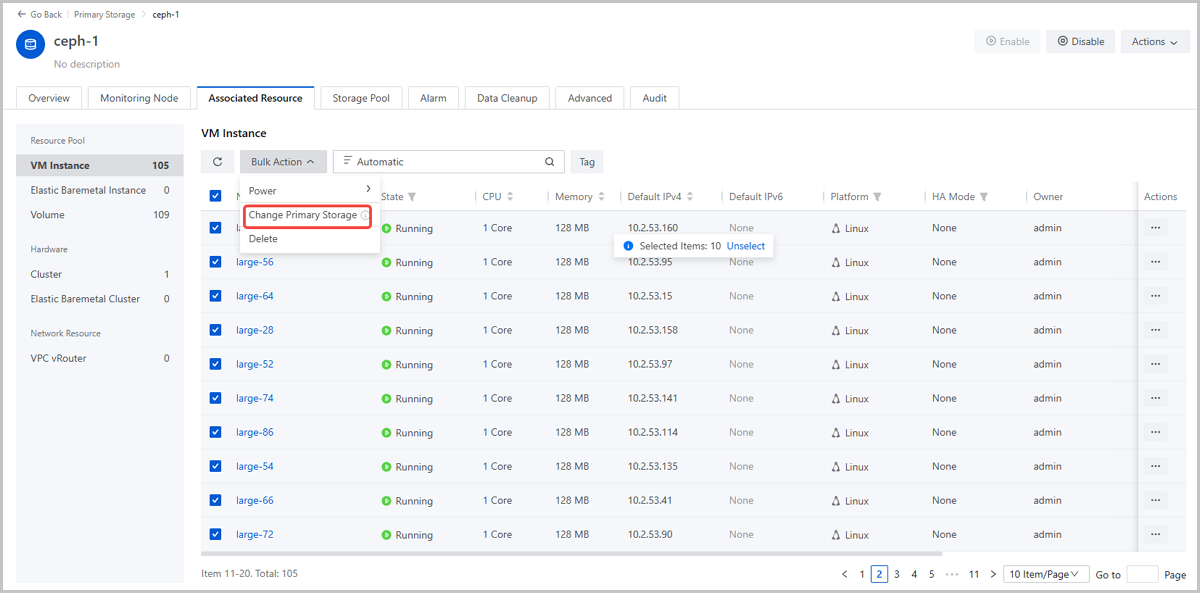
Starting from ZStack Cloud 5.5.0, you can migrate VM instances in batches, simplifying large-scale operations such as planned maintenance, storage expansion, and load rebalancing. You can specify a common target host or primary storage for a batch VM instances, or specify targets individually, balancing efficiency with operational flexibility.
Additionally, migration entry points are now available on the Associated Resource tab in the host or primary storage details page. This allows you to initiate batch migration directly based on the associated hosts or primary storage, providing richer operational perspectives and a more convenient user experience.

Email Us
contact@zstack.ioEmail Us
contact@zstack.ioEmail Us
contact@zstack.ioThe download link is sent to your email address.
If you don't see it, check your spam folder, subscription folder, or AD folder. After receiving the email, click the URL to download the documentation.Thank you for using ZStack products and services.
Submit successfully.
We'll connect soon.Thank you for using ZStack products and services.


